

Category: blog

  • YouFibre Boo!, Tailscale Yay!

    YouFibre Boo!, Tailscale Yay!

    If you’re living in in the early second quarter of 2026 in the UK, you may well be aware that the best ISP of modern times – Brsk – has been taken over by a company called YouFibre. If you read recent comments on r/YouFibre you’ll also be aware that the transition is not going well, to the detriment of many previously-ecstatic customers. YouFibre seem hard set on destroying any remaining trace of the prestige of its previous owners. The only saving grace as far as I’m concerned is that by the time stage 2 of the enshittification process is complete, namely the acquisition of YouFibre by Virgin Media that seems imminent later this year, I’ll have spent most of my 18 month contract and can start planning my escape. This is of course unless they don’t reply to my formal complaint within seven days and I refer them to the broadband ombudsman and Ofcom, citing breach of contract, to be released from said contract with no termination fees.

    What on earth has happened to earn this level of disgust?

    Like many (most) of the public complaints to be found on r/YouFibre, my account has been overcharged for the service I use (BetterNet2000). I also have BeterIP which provides a static IP outside of CGNAT that is an essential part of my business with them. It’s crucial to host my various services, including this website. I contacted their support team via email on Thursday evening last to report the overcharge, not expecting any kind of response within days or weeks, based on the aforementioned Reddit reports. To my initial surprise it was replied to within minutes, the agent saying that it would be looked into.

    Seconds later however, my troubles began. The fibre broadband connection was reset, I was allocated a new WAN IP and my crucially important static public IP address was lost, replaced with one behind CGNAT. It’s useless of course, doesn’t even respond to pings. They hadn’t warned me this was going to happen, and hadn’t even asked if it was okay to do this. My self-hosted website, my self-hosted blood glucose monitoring, my self-hosted cloud storage service, git environment, document server, image server (and CDN), dashboard, music server, servarr stack and Jellyfin – all gone.

    I immediately complained and the agent apologised for the problem, so that fixed everything. No, of course it didn’t. My sense of doom deepened as they said it would be passed upstream to the next level of support and I would be updated when they had a solution.

    Three days later I’ve received nothing but further apologies. I did some investigation and discovered that in fact I do have grounds for pressing for breach of contract on their part, since a change was made unannounced, and the now missing part of the service is integral to my use of said service. I’ve been advised to send an official complaint (which I have done, and it’s been acknowledged with another apology), and will contact the broadband ombudsman and Ofcom 7 days from that acknowledgement if the matter is not resolved.

    In the meantime…

    Tailscale has come to my temporary rescue. Running the Tailscale package on my pfSense router has meant that I can keep HaProxy for my routing and SSL tasks there too, bypassing the need for a public static IP address. It’s not all sunshine and roses, though.

    Just Works (on my Tailnet, so secure 🙂)

    Portainer, Servarr stack, Nightscout, Seerr

    Additional Faff (because I can’t expose publicly behind CGNAT, necessitating a Cloudflare tunnel 😟)

    Jellyfin, Website, ownCloud, Immich (and proxy), Paperless-ngx, Forgejo, Homarr

    Photo by Tara Winstead on Pexels
  • Photo backup strategy

    Photo backup strategy

    History

    I’ve struggled with finding an uncomplicated, reliable and secure backup strategy in the past. Whereas I’ve looked at services like iCloud, Dropbox and others that are simple to use, I’ve been sure there’s a better approach. Now that I have my own Proxmox VE and PBS servers it was time to look again at the options and finally get a process nailed down.

    The situation

    As mentioned, I have a Proxmov VE running various linux containers, one of which is ownCloud, a pared-down branch of Nextcloud without all the complicated and unnecessary (for me) bloat. The container itself is backed up along with the others twice-daily to my PBS at midnight.

    My ownCloud data lives on an independent 2TB hard drive, mounted via /dev/mapper to be accessible throughout the VE where needed. This is backed up separately as it would make the container backup huge if done in the same place. How do I accomplish this?

    Local backup

    On the PVE box I have a systemd timer set for 1pm.

    Mon 2026-04-06 01:00:00 BST 9h Sun 2026-04-05 01:00:02 BST 14h ago backup-mnt-owncloud.timer backup-mnt-owncloud.service

    This fires the 1-shot service backup-mnt-owncloud.service:

    [Unit]
    Description=Backup /mnt/owncloud to PBS(local)
    
    [Service]
    Type=oneshot
    ExecStart=/usr/local/bin/backup-mnt-owncloud.sh

    And here’s the script itself. It backs up /mnt/owncloud to the owncloud_data namespace on the local-storage datastore on the PBS server.

    #!/bin/bash
    export PBS_PASSWORD='[REDACTED]'
    
    proxmox-backup-client backup mnt_owncloud.pxar:/mnt/owncloud \
      --repository backup@pbs@10.0.0.3:local-storage \
      --ns owncloud_data \
      --change-detection-mode=metadata \
      --exclude '/mnt/owncloud/steve/files_trashbin' \
      --exclude '/mnt/owncloud/steve/uploads' \
      --exclude '/mnt/owncloud/steve/thumbnails' \
      --exclude '/mnt/owncloud/steve/cache' \
      --exclude '/mnt/owncloud/owncloud.log' \
      --exclude '/mnt/owncloud/crash-*.log'

    The --change-detection-mode switch makes sure files don’t get backed up that haven’t been changed since the last backup. PBS has a retention policy for this datastore ensuring that such files are kept for a maximum of 2 years so long as they’re not deleted from the original file structure.

    So that’s the local backup taken care of. What else?

    Other related backups

    At 2am another timer on PVE fires a script to backup system folders to local-storage datastore on the PBS server.

    #!/bin/bash
    export PBS_PASSWORD='[REDACTED]'
    proxmox-backup-client backup etc.pxar:/etc \
      --repository backup@pbs@10.0.0.3:local-storage \
      --ns etc
    proxmox-backup-client backup etc_pve.pxar:/etc/pve \
      --repository backup@pbs@10.0.0.3:local-storage \
      --ns etc_pve
    proxmox-backup-client backup usr_local.pxar:/usr/local \
      --repository backup@pbs@10.0.0.3:local-storage \
      --ns usr_local
    proxmox-backup-client backup var_lib.pxar:/var/lib \
      --repository backup@pbs@10.0.0.3:local-storage \
      --ns var_lib
    proxmox-backup-client backup appdata.pxar:/mnt/storage/appdata \
      --repository backup@pbs@10.0.0.3:local-storage \
      --ns appdata

    At 2.30am a PBS prune job removes local-storage indexes outside the retention policy

    At 3am a garbage collection job (scans the datastore and removes any chunks that are no longer referenced by any snapshot) for local-storage on PBS.

    Remote sync to S3 bucket

    I use Wasabi S3 storage for remote backups. It’s cheap and reliable. I have a bucket there that is mapped to a datastore on PBS called wasbi-backup (genius, right?).

    At 4am a PBS sync job runs to backup the whole local-storage datastore to the Wasabi bucket (with 7 days, 4 weeks, 23 months, 2 years retention policy)

    At 4.30am and 5am the prune and garbage collection jobs are run for the wasabi-backup backups.

    Belt & braces

    At 4am I also have an ArqBackup job on my local mac mini backing up my ~/owncloud folder to a separate Wasabi bucket.


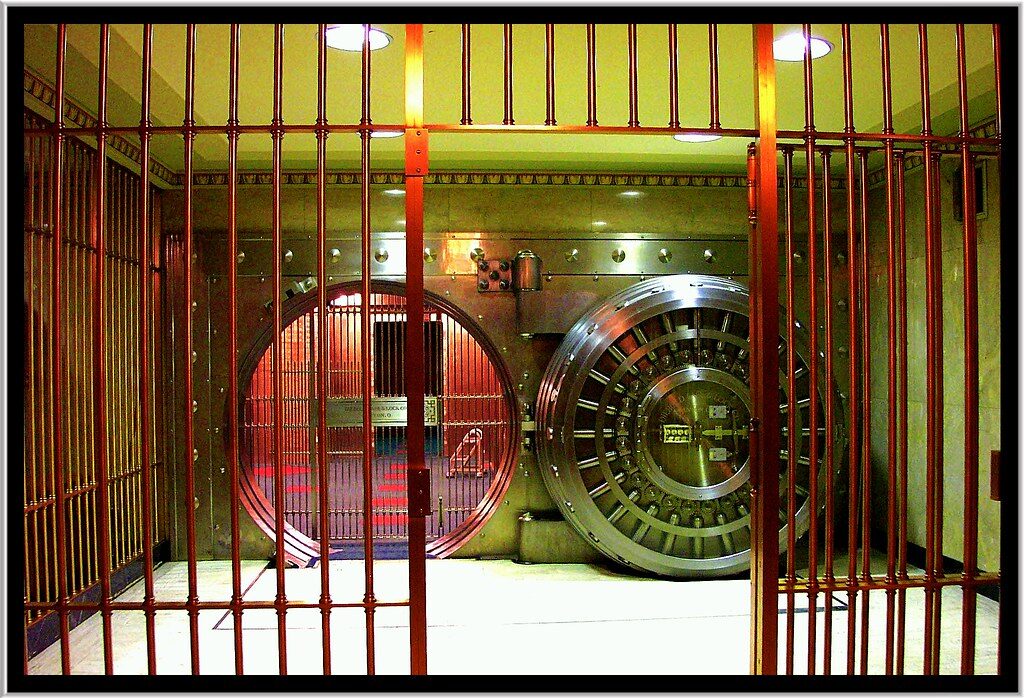
    Sothern Surety Building, The Sacung and Loan Building – Aparium Hotel Group – Previous Safe & Vault & Safe Boxes for People to view staying in the Hotel – Des Moines – Iowa l” by Onasill – Bill Badzo – 149 Million Views – Thank Y is licensed under CC BY-NC-SA 2.0

  • I Give a DAM!

    I Give a DAM!

    Adobe-free Zone

    I’ve been thinking about how to better manage my images recently, especially now that my photography activities have gone up a gear thanks to my Fujifilm X100VI. I think I’ve taken more photos since January than I have in the last four years!

    I left Adobe products behind a long time ago, and the only thing I’ve missed from Lr is the catalogue feature. That was pretty good.

    My post-processing workflow has evolved quite a bit since then, and I use ON1 Photo Raw as my editor. It’s cool as fuck, but asset management from there really sucks. It’s not what we would call feature-rich.

    My use case now is such that after I’ve culled the rejects from a shoot, I edit the images on the way to deciding whether to publish on my website here, Irys, Mastodon and Flickr from the remaining keepers. If I’m satisfied with an edit I use ON1’s export features to create a .DNG and 3 JPGs (full-size for Irys, 1800px for website and 1600px for Mastodon and Flickr) in the same folder as the RAW image. I’m warming to the idea of skipping the DNG creation very soon, as I have a robust (tested) backup strategy for my RAW files, and there really isn’t the need these days.

    Stacking

    In my thumbnail view of my images, I don’t want to see each of these files cluttering up the workspace. I want to see just one tile with a representation of the edited image.

    DigiKam has a great feature that allows the auto-grouping (stacking) of images with a configurable range of timestamps to make this really easy! The docs suggest that it automatically uses the smallest file in the group, but my experience shows that it’s not too reliable; it will often choose a RAW file like a NEF. Still, I can easily choose the group leader myself after the fact, and it only takes seconds. DigiKam is free, and this is the only real issue I’ve encountered so far, so what do you want?

    Smart Folders

    Another thing I miss from Lr is virtual albums or folders where I can group images together based on criteria I set. ON1 kind of does this, but I want to use ON1 purely for editing going forwards. One job, one tool is the way to go. DigiKam allows me to do this by using advanced searches that can be saved and labelled for quick reference. For example, I’ve got one that finds all the images in my library tagged ‘abstract’ in any folder except my legacy folders with ‘export’ making up any part of the name. I call this “firehose | abstract”. I have another one the finds all these same images, but only the ones with the ‘Accepted’ flag set from my editing workflow. This one is called “accepted | abstract”. I have more like this that allow me to instantly see my commonly used searches in lieu of smart folders. Of course this only works if my tagging and labelling is effective, but I’m pretty OCD about all of that stuff anyway.

    Another good use of these searches is helping me keep track of where I’ve published my images to. I have a hierarchical tag called ‘published’ with three children ‘Flickr’, ‘Irys’ and ‘Mastodon’. I just update the tag tree when I post an image and then use the relevant search later for an instant lookup of what is where.

    Worth the Effort

    I spent quite a lot of time going through the images I’ve posted to my favourite platforms, but now I have an established base to work from in future.


    Sothern Surety Building, The Sacung and Loan Building – Aparium Hotel Group – Previous Safe & Vault & Safe Boxes for People to view staying in the Hotel – Des Moines – Iowa l” by Onasill – Bill Badzo – 149 Million Views – Thank Y is licensed under CC BY-NC-SA 2.0

  • Gear I Use

    My Current Kit

    I see that something that the popular kids like to include on their websites is a list of equipment that they use. The same people often make a point about the camera and lens that you use not being important, so I’m not sure why that has become fashionable. Maybe they like to acknowledge that the sponsorships that they have as a result of their popularity allow them to buy the expensive designer stuff but I’m not judging, being open as I am to the same offers of sponsorship and cash should the opportunity arise.

    Anyway, here’s some of the stuff that I use should you wish to model yourself on me, and become as popular and influencial as myself. 🤣

    Camera Bodies

    • Fujifilm X-T5
    • Fujifilm X100VI

    Lenses

    • Fujifilm XF 16mm f/2.8 R WR
    • Fujifilm XF 23mm f/2 R WR
    • Fujifilm XF 35mm f/2 R WR
    • Fujifilm XF 56mm f/1.2 R WR
    • Helios 44M-4 2/56 f/2 (vintage M42)
    • Rosley 28mm f/2.8 (vintage M42)
    • K&F CONCEPT M42 to Fuji X Adapter

    Processing

    • Apple Mac mini M4
    • ON1 Photo RAW
    • Affinity v3

    Accessories

    • SUNYA Camera Strap Quick Release Buckle (Peak Design rip-offs) x2

    X-T5

    • waka Camera Shoulder Strap, Anti-slip Over Shoulder Camera Sling Strap

    X100VI

    • Muziri Kinokoo leather half-case with integral grip
    • NiSi NC UV Filter (for lens weather sealing)
    • SmallRig Thumb Grip with Hot Shoe Cover
    • Red Patikil convex shutter button
    • Haoge LH-X54B Square Metal Lens Hood Shade 
    • SmallRig X100VI Handgrip L-Shape Grip (pretty redundant now I have the half-case)
    • Hisewen NP-W126 NP-W126S Battery 2Pack and Dual Charger
    • VKO Camera Wrist Strap Quick Release Hand Strap
    • QMLING Camera Strap Quick Release

    Fujifilm X-T5” by Henry Söderlund is licensed under CC BY 2.0